
How to Fully Block a User on Adult Friend Finder

Your comfort and safety are essential to having a positive experience on AdultFriendFinder. If someone makes you uncomfortable, you have full control to stop all interaction with them. Blocking a user is quick, private, and effective—and once blocked, they will no longer be able to contact or interact with you on the platform.

Below is a complete, step-by-step guide to fully blocking a user and protecting your experience.

What Happens When You Block Someone?

When you block a user on AdultFriendFinder:

  • They can no longer send you messages
  • They cannot view or interact with your profile
  • You will no longer see them in search results or activity feeds
  • The block is private—they are not notified

Blocking is immediate and can be reversed at any time from your settings.

How to Block a User from a Message

This is the fastest way to block someone who has contacted you.

  1. Go to your message center.
  2. Go to the user’s message you want to block
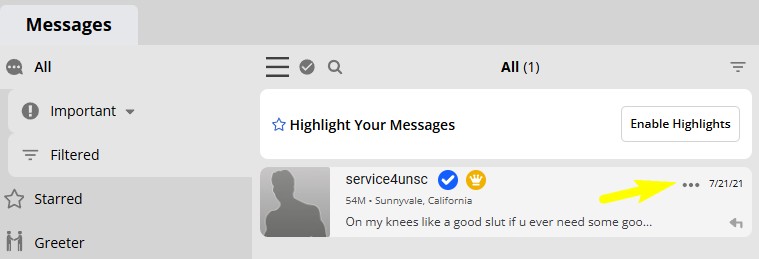
  3. Click the three-dot menu in the message window
    1. Three dots menu in AdultFriendFinder message Center
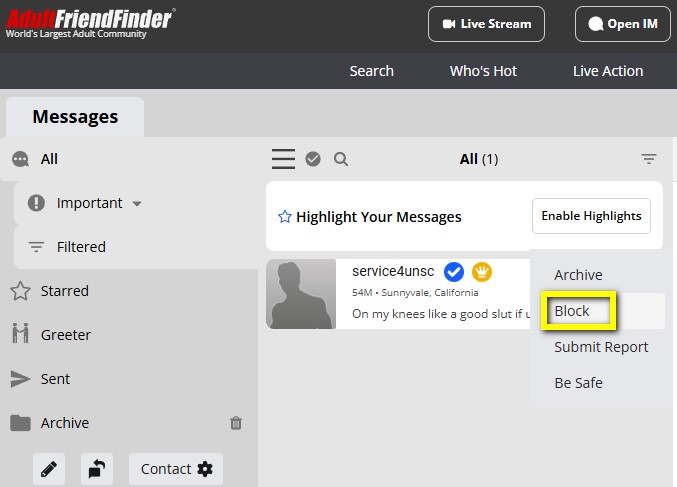
  4. Select Block User
    1. How to block a member on Adultfriendfinder in the message center
  5. Confirm when prompted

Once confirmed, all communication stops instantly.

How to Block a User from Their Profile

If you haven’t received a message but want to prevent contact:

  1. Visit the user’s profile
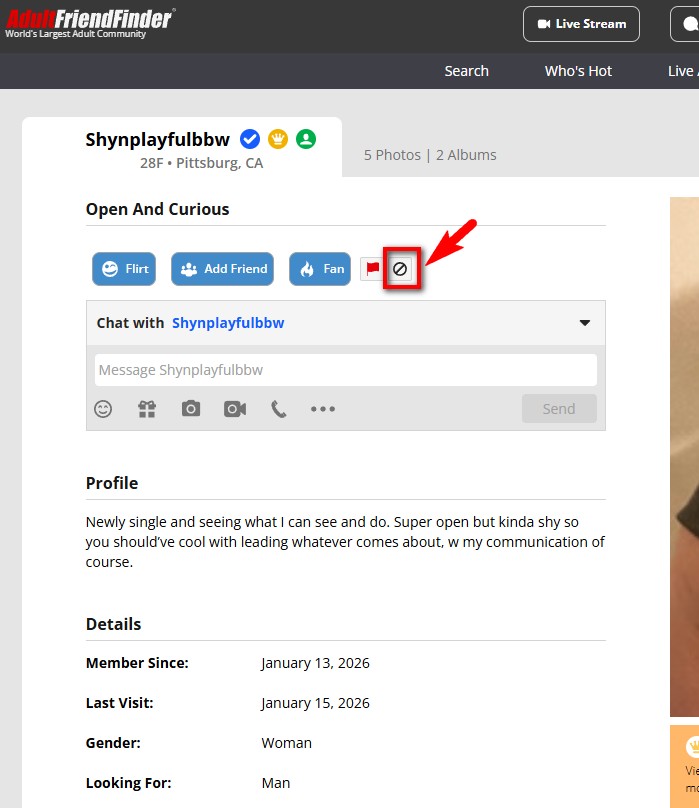
    1. Member Profile Block on AdultFriendFinder
  2. Look for the Block button Block Profile Icon (near the message area on the top left of the profile)
  3. Confirm your choice when prompted

This removes all visibility and interaction between you and that member.

Blocking Through Your Account Settings

You can also manage blocks directly from your account:

  1. Go to Account Settings
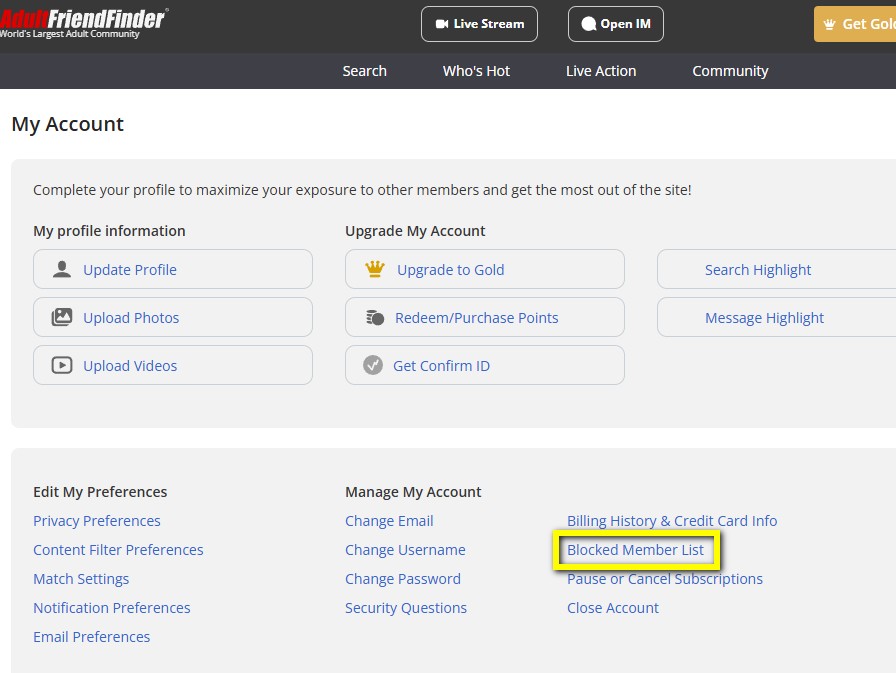
    1. AdultFriendFinder profile settings
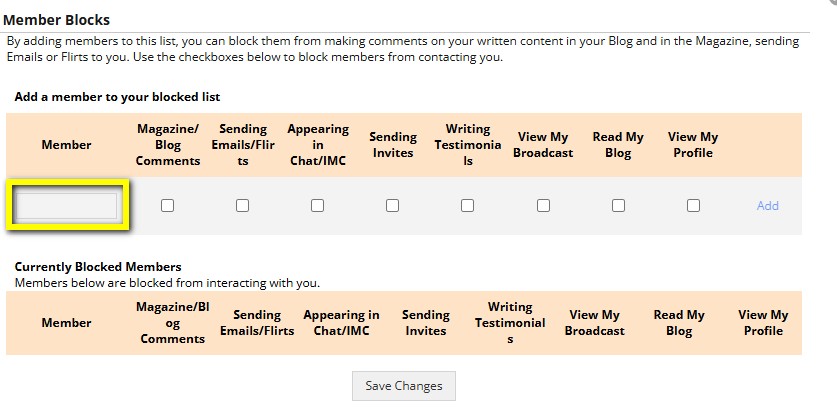
  2. Navigate to Blocked Member List under the “Manage My Account” Section
    1. Blocked Member List
  3. View your blocked users list
  4. Type the users Handle into the text box and check the boxes of where you would like to block them.
  5. Click “Save Changes”
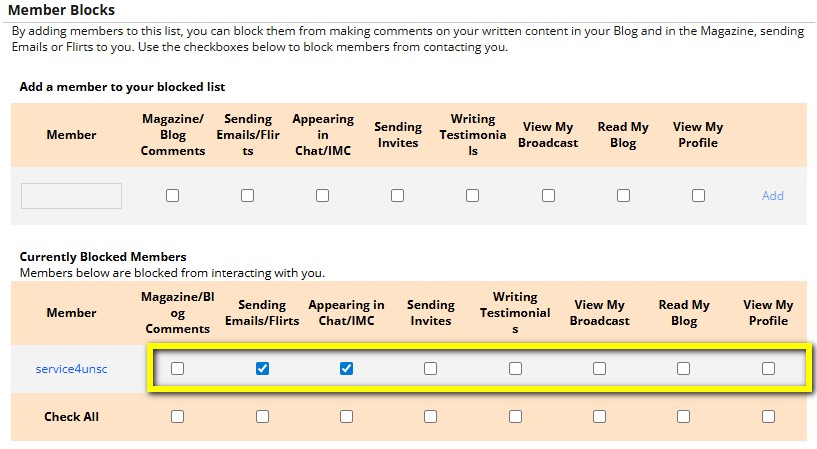
  6. They will be added to your “Currently Blocked Members” list
    1. Currently Blocked users on your Adultfriendfinder profile
  7. This can be reversed at any time.
  8. NOTE: This does not block them from seeing your Blog Posts.

This is useful if you want to review or adjust blocks later.

Blocking from the Blog Community

If you want to fully ban a person from everything on the site you will have to block them on the dating site and the community site separately.

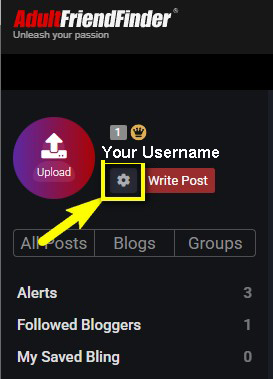
  1. Navigate to the Community Blog page
  2. Click the Settings Icon next to your user name on the upper left side of the page.
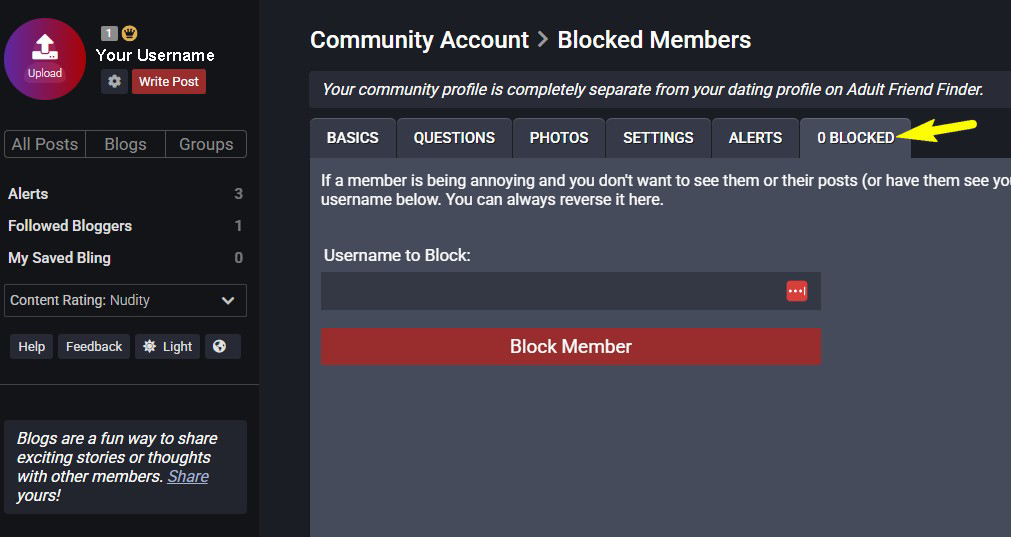
  3. Go to the Blocked Tab
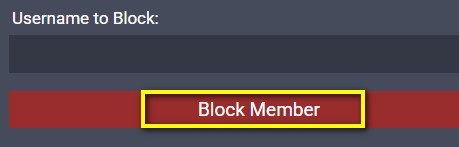
  4. Enter the Username in the text box
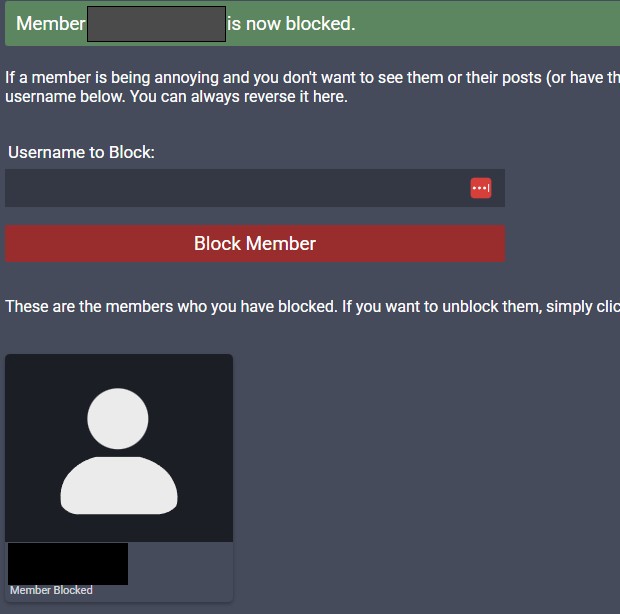
  5. “Click Block Member”
  6. The user name will be added to your blocked users below.
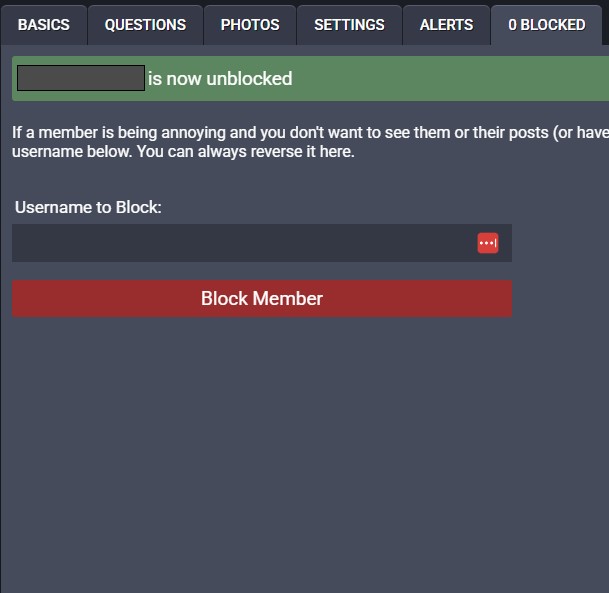
  7. This can be reversed at any time.
  8. To Unblock: Click the User’s icon in your blocked tab to unblock users.
  9. NOTE: Just doing this step will not block the user on the dating site of AdultFriendFinder. Please see the setups to block through your account settings above.

Blocking vs. Reporting: What’s the Difference?

  • Blocking stops communication and visibility immediately
  • Reporting alerts the moderation team if a user violates site rules

If a user is harassing, threatening, or breaking community guidelines, you can (and should) block and report them at the same time.

Extra Safety Tips

  • Trust your instincts—block early if something feels off
  • Use privacy settings to control who can message or view you
  • Never feel obligated to respond to unwanted contact
  • Remember: blocking is about your comfort, not confrontation

Final Thoughts

AdultFriendFinder is designed to be a space where adults can connect comfortably and confidently. Blocking tools exist to give you full control over your experience—use them whenever necessary.

If you ever need additional help, the support team is available to assist with privacy, safety, or account concerns. You can also view our help pages.

Your boundaries matter. Use them freely.